Selection and Contracts

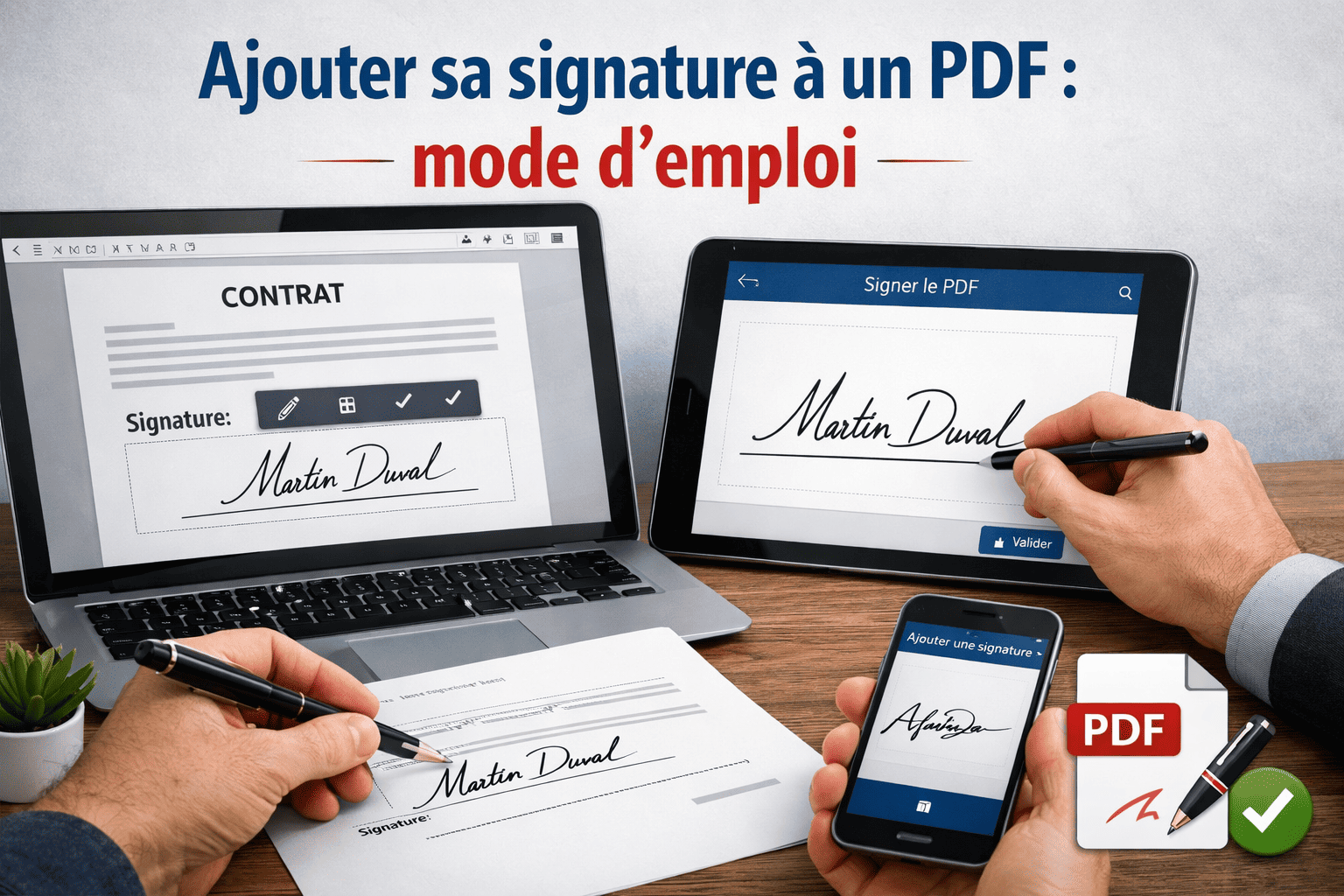
How to Add a Signature to a PDF: A Step-by-Step Guide

Published By
Olivier Audino
Tags
Sourcing

Seamless PDF Signing in Professional Procurement Workflows

In modern business environments where document management must be as agile as procurement pipelines, knowing how to sign a PDF quickly has become an essential core skill.

Supplier contracts, purchase orders, and partnership agreements all demand formal validation. Traditional workflows—printing documents, manually initialing pages, scanning paper files, and emailing attachments—represent a massive operational waste of time.

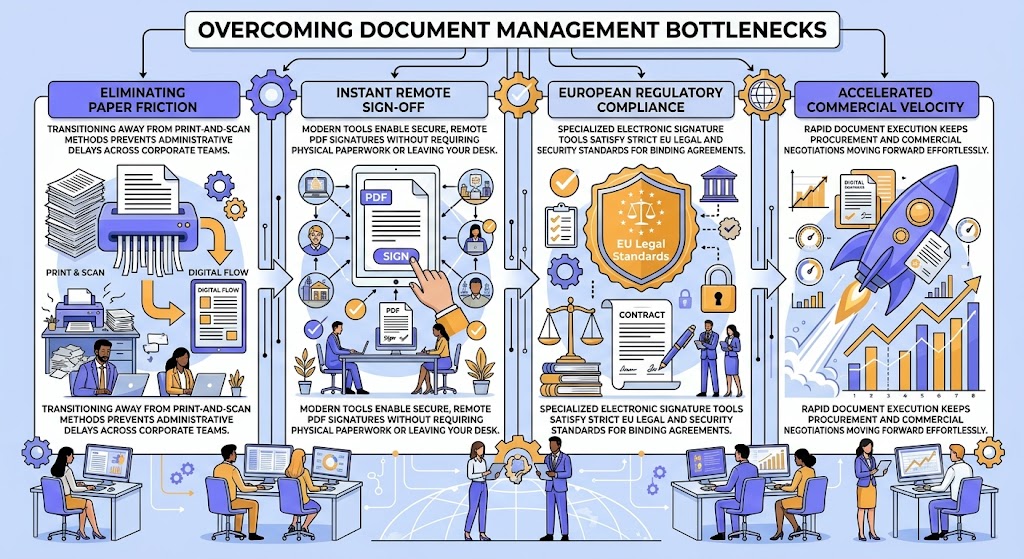
Overcoming Document Management Bottlenecks

  • Eliminating Paper Friction – Transitioning away from print-and-scan methods prevents administrative delays across corporate teams.
  • Instant Remote Sign-Off – Modern tools enable secure, remote PDF signatures without requiring physical paperwork or leaving your desk.
  • European Regulatory Compliance – Specialized electronic signature tools satisfy strict EU legal and security standards for binding agreements.
  • Accelerated Commercial Velocity – Rapid document execution keeps procurement and commercial negotiations moving forward effortlessly.
To streamline your operations immediately, you can insert a signature directly into a PDF using a dedicated solution engineered to comply with European legal requirements.

Conclusion: Driving Efficiency with Digital Document Validation

Optimizing Corporate Workflows with Compliant PDF Signatures

Replacing manual document signing with legally compliant digital tools modernizes administrative workflows across legal and procurement operations.

By adopting simple, secure e-signature solutions, organizations eliminate operational friction, safeguard legal validity, and dramatically accelerate contract approvals.

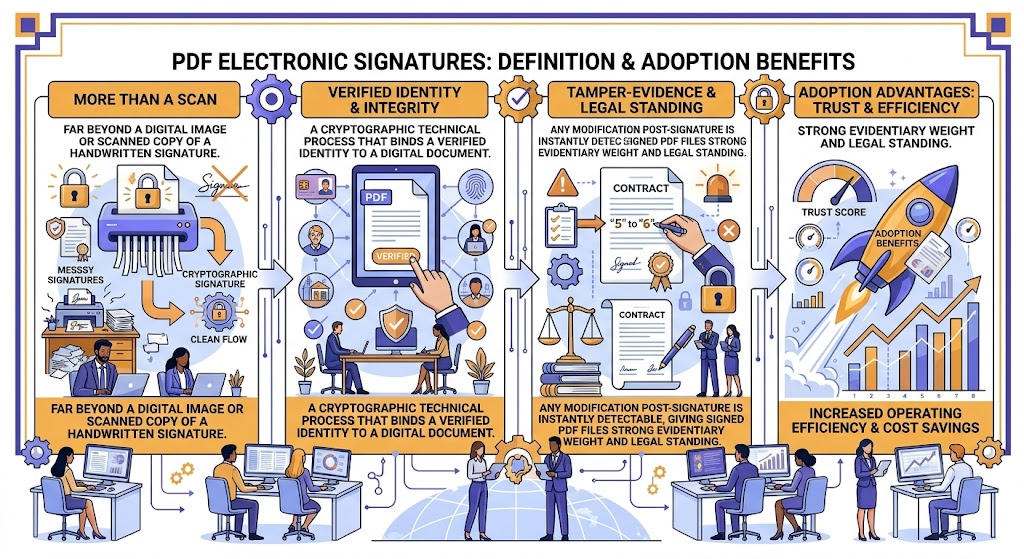
What is a PDF Electronic Signature and Why Adopt It?

An electronic PDF signature goes far beyond a simple digital image or scanned copy of a handwritten signature. It represents a cryptographic technical process that binds a verified identity to a digital document while guaranteeing its ongoing integrity.

Cryptographic Tamper-Evidence: Any modification made to the document post-signature is instantly detectable, giving signed PDF files strong evidentiary weight and legal standing.

Regulatory Framework: The European eIDAS Standard

Governed by the European eIDAS Regulation, digital signatures are categorized into three distinct security tiers:

Simple Electronic Signature (SES) – Basic validation suitable for low-risk documents.
Advanced Electronic Signature (AES) – Requires unique signer identification and tamper-proof sealing; ideal for the vast majority of day-to-day business contracts.
Qualified Electronic Signature (QES) – Involves face-to-face identity verification and a qualified certificate, required for specific high-stakes legal procedures.

Core Business Advantages

Why Organizations Transition to Online PDF Signatures

  • Substantial Time Savings – Sign agreements in just a few clicks from any desktop or mobile device.
  • Operational Cost Reduction – Completely eliminate paper printing, postage fees, physical delivery, and physical filing expenses.
  • Complete Audit Traceability – Every transaction automatically generates cryptographic timestamps and a detailed audit log.
  • Full Legal Equivalence – Digitally signed documents hold the exact same legal validity as handwritten paper signatures across most commercial use cases.

Conclusion: Modernizing Business Operations with Legal Certainty

Accelerating Workflows with Compliant Digital Signatures

Adopting PDF electronic signatures combines robust technical security with unmatched administrative efficiency.

By leveraging eIDAS-compliant signatures, businesses eliminate document bottlenecks, lower operating costs, and establish verifiable legal validity across every corporate contract.
Methods for Electronically Signing a PDF

1. Dedicated Online Platforms

The most accessible and user-friendly approach for executing digital signatures. Users upload the PDF file, draw or import their signature, and place it directly onto the document before downloading. Many platforms also offer multi-party countersigning workflows, simplifying approval chains across teams and external clients.

2. Desktop PDF Software Applications

Desktop software like Adobe Acrobat allows users to apply electronic signatures locally. This method is ideal for professionals who frequently work offline or handle high volumes of sensitive internal documents, though advanced e-signature capabilities often require paid software subscriptions.

3. Enterprise Certificate-Based Solutions

For high-stakes transactions—such as supplier contracts, legal acts, and public procurement tenders—using a solution integrated with a digital certificate is strongly recommended. Issued by an accredited Certification Authority, digital certificates authenticate signer identity beyond dispute. Some providers offer free certificate tiers for limited transaction volumes to facilitate pilot testing.

Signaturit: Benchmark European PDF E-Signature Solution

Signaturit Group stands out as a leading European technology partner specializing in digital transformation for public and private sector organizations.

Its eIDAS-compliant electronic signature, identification, and document management solutions guarantee the legality, security, and full traceability of critical business transactions. Engineered to integrate into existing corporate workflows, Signaturit scales effortlessly from small businesses to enterprise environments.

Best Practices for Secure & Valid PDF Signatures

4 Essential Guidelines for Legal Validity

  • Verify Signer Identity – Enforce robust multi-factor authentication (MFA, SMS OTP, or biometrics) to confirm identity beyond reasonable doubt.
  • Preserve Complete Audit Trails – Ensure the platform generates a detailed audit log recording every user action, timestamp, and IP address for legal protection during disputes.
  • Match Security Level to Strategic Risk – Use Simple Electronic Signatures (SES) for low-risk internal purchase orders, and Advanced (AES) or Qualified (QES) signatures for high-value commercial agreements.
  • Guarantee GDPR & Data Sovereignty – Confirm that personal signer data is processed and hosted on secure servers located within the European Union.

Conclusion: Deploying High-Integrity Digital Document Workflows

Securing Enterprise Agreements with E-Signature Best Practices

Successfully implementing PDF electronic signatures requires aligning user convenience with rigorous legal and regulatory compliance.

By leveraging proven European platforms like Signaturit, verifying signer identities, and maintaining detailed audit trails, organizations build future-proof, legally binding digital signature processes.
Switch to Electronic Signatures: Save Time Starting Today

Electronically signing a PDF is no longer reserved for enterprise corporations equipped with complex IT architectures.

Whether you need to validate a supplier contract, a service agreement, or an internal administrative memo, modern e-signature solutions make the execution process accessible in just a few minutes.

Core Drivers of Electronic Document Signatures

  • Frictionless Workflow Elimination – Remove administrative bottlenecks across every stage of the document lifecycle.
  • Accelerated Validation Cycles – Cut contract turnarounds from days to minutes with real-time remote sign-offs.
  • Reinforced Data & Transaction Security – Guarantee document integrity, identity verification, and auditability.
  • Immediate Operational Productivity – Align procurement and executive teams with streamlined digital validation workflows.
For procurement teams and executive management aiming to optimize every link in the document chain—mirroring the operational simplification pioneered by platforms like Buy Made Easy in procurement processes—adopting a reliable PDF signature tool serves as an immediate productivity lever. Never let a routine signature stall your business operations.

Conclusion: Unlocking Operational Agility Across Your Procurement Pipeline

Transforming Administrative Validation into a Competitive Advantage

Digitalizing document signatures is a direct strategic investment in organizational velocity, security, and compliance.

By integrating an intuitive PDF electronic signature tool today, procurement teams and business leaders eliminate operational delays, safeguard contract validity, and drive continuous productivity across the entire organization.

Sponsored Article
Line
Featured Post

Popular posts